 graphwiz.ai
← Back to Store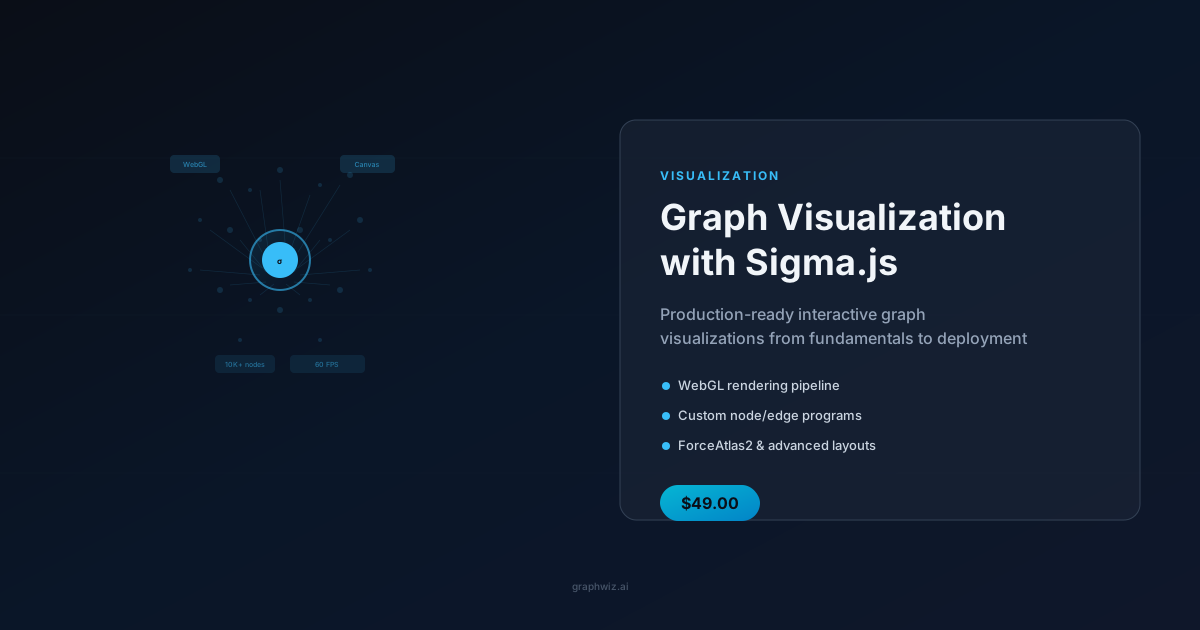
VisualizationFeatured
Graph Visualization with Sigma.js
🎯
Your Outcome
Ship interactive graph visualizations that render 100K nodes without dropping frames — without the trial-and-error of WebGL debugging.
Digital Download$49.00
Details
## The Problem
You have graph data — a knowledge graph, a network topology, a citation network — and you need to show it to your users in the browser. But every library you try either crashes at 10K nodes, takes days to build something that looks like a demo, or has no clear path to production deployment. You need a solution that scales, performs, and ships — without becoming a full-time WebGL developer.
## What This Guide Does For You
After reading this guide, you'll be able to build and deploy production-quality interactive graph visualizations that handle 100K+ nodes, respond instantly to user interaction, and integrate cleanly with your Next.js or React application. You'll know Sigma.js inside and out — the rendering pipeline, the data layer, and the deployment patterns that separate a demo from a shipped product.
## What You'll Be Able To Do
### 1. Master the Sigma.js Rendering Engine
- **Render 100K nodes without dropping frames** — master the WebGL pipeline: shaders, buffers, textures, and the draw loop
- **Fall back gracefully when WebGL isn't available** — Canvas 2D renderer strategy and when to use it
- **Layer nodes, edges, labels, and hover states** — the layer system and picking buffers explained
- **Animate the camera programmatically** — coordinate transforms, zoom-to-fit, and smooth animations
- **Handle every user interaction** — node/edge hover, click, drag, and custom event propagation
- **Upgrade from Sigma v2 to v3** — breaking changes covered so your migration is painless
### 2. Model Your Graph Data for Performance
- **Design your data model for visualization speed** — attribute management, serialization, and diffing
- **Extract subgraphs without duplicating data** — filtering that keeps memory in check
- **Connect to any data source** — Neo4j, SPARQL, JSON — with integration patterns for each
- **Build custom indices for instant lookups** — fast node/edge retrieval at any scale
### 3. Choose and Tune Layout Algorithms
- **Tune ForceAtlas2 for different graph types** — social, hierarchical, spatial — with parameter presets
- **Resolve node overlap automatically** — Noverlap to clean up dense regions
- **Apply circular, grid, and radial layouts** — for specialized use cases
- **Optimize ForceAtlas2 performance** — Barnes-Hut approximation, iterations budget, web workers
- **Animate between layout states** — incremental layout for smooth transitions
### 4. Build Custom Visuals
- **Write custom node programs** — shapes, images, badges, and animated nodes
- **Write custom edge programs** — curves, arrows, dashed lines, animated flows
- **Position edge labels intelligently** — with collision avoidance and truncation
- **Build hover and selection feedback** — highlight connected nodes, dim the rest
- **Stay within performance budgets** — draw call batching, LOD, frustum culling
- **Handle 10K+ node graphs** — know exactly what breaks and how to fix it
### 5. Craft a Polished User Experience
- **Click-to-navigate with URL routing** — React/Next.js integration pattern
- **Drag, scroll, and pinch-to-zoom** — touch device support built in
- **Tooltips and contextual menus** — rich interaction without the boilerplate
- **Search and highlight** — find nodes by label, type, or property
- **Minimap for large graphs** — help users navigate without getting lost
- **Keyboard shortcuts and accessibility** — ARIA labels and focus management
### 6. Deploy to Production
- **Bundle Sigma.js with Next.js** — dynamic imports, SSR mode, chunk splitting
- **Build a reusable React hook** — `useSigma` with proper lifecycle management
- **Sync state with URL query params** — shareable graph views out of the box
- **Make it responsive** — container resize, mobile breakpoints, touch optimization
- **Profile and fix memory leaks** — detect and eliminate WebGL context leaks
- **Handle WebGL failures gracefully** — error boundaries with static SVG fallback
### 7. Ship Complete Applications
- **Knowledge Graph Explorer** — interactive browsing with faceted search
- **Network Topology Map** — real-time node status with color-coded health
- **Citation Network** — temporal graph with animated edge growth and clustering
Every project includes complete source code with inline documentation.
## Who Will Benefit Most
- Frontend engineers building data-heavy visualization interfaces
- Data visualization developers moving from static charts to interactive graphs
- Knowledge graph platform builders who need production-quality rendering
## What Success Looks Like
You'll ship interactive graph visualizations that your users actually enjoy using — fast, responsive, and feature-rich. Instead of fighting with WebGL buffers and frame rates, you'll have a library of reusable components and patterns that let you go from a graph dataset to a deployed visualization in hours, not weeks.
## Format & Delivery
**Format:** PDF, approximately 80 pages, with complete source code for three real-world projects.